


SIG CONNECT
4.462.00 Reviews
App Specs
- Version
- 4.2.76
- Updated On
- License
- Free
- Downloads
- 50,000+
- Developer
- Sig Sauer Application Development
- Categories
- Lifestyle
- Platform
- Android
Screenshots
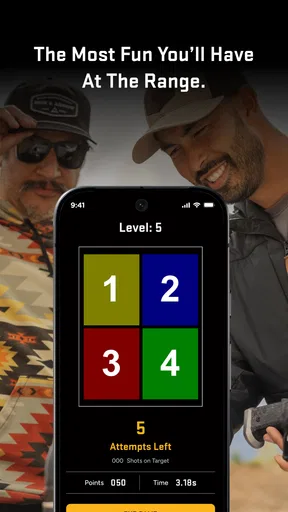
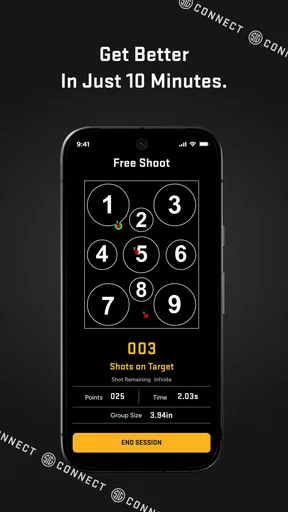
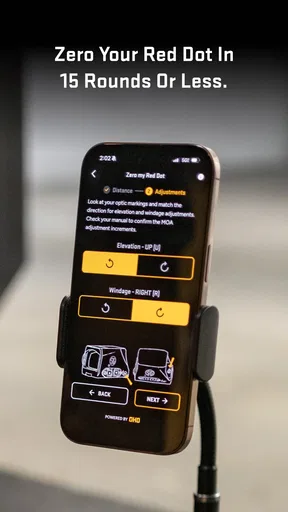
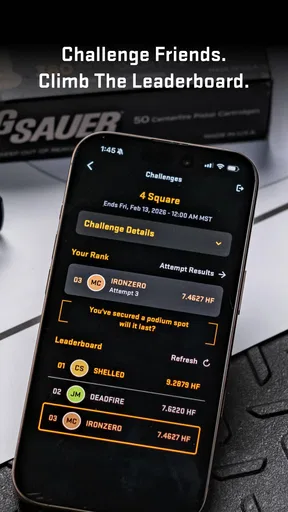
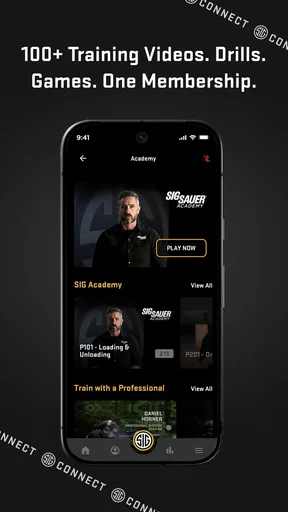
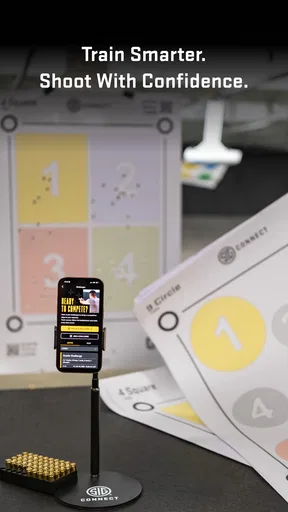
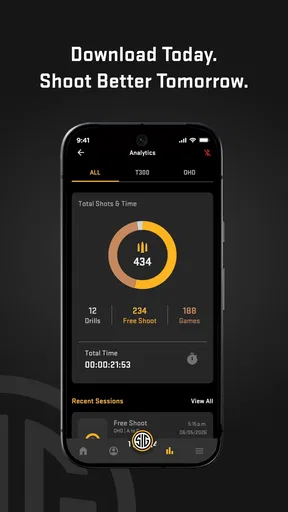
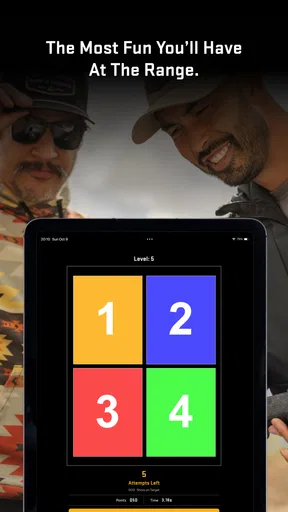
 Analysis by AppCompare
SIG CONNECT is the kind of lifestyle app that makes the most sense when it is used alongside real range time rather than treated as a standalone game. I found its central idea appealing: turn practice into something more structured, add playful challenges, and give me a way to look back at my progress instead of relying on memory. That combination makes it more interesting than a simple shooting log, but it also means its value depends heavily on whether you already spend time practicing.
Developed by Sig Sauer Application Development, the app is free to install and is aimed at mature users. It has built a respectable audience, with over 50 thousand installs and a 4.4 average from more than 200 ratings. Those figures suggest that it has found a useful place among people connected with SIG Sauer’s range-oriented ecosystem, although they should not be mistaken for proof that it will suit every shooter.
What SIG CONNECT feels like in everyday use
My overall impression is that SIG CONNECT works best as a companion for a planned practice session. Instead of arriving at the range with a vague goal such as “shoot a little,” I can use the app’s game-like approach to give the session more direction. The difference is small but important. A practice period becomes easier to divide into tasks, and the progress element gives me a reason to pay attention to consistency rather than only the final result.
The app sits in an unusual space between a training aid, a progress journal, and casual entertainment. It is not simply a digital target, and it is not trying to replace hands-on instruction. Its appeal comes from making repetition feel less monotonous. For someone who enjoys tracking improvement, that can be enough to turn occasional practice into a more regular habit.
I also like that the concept is accessible to people who do not want a complicated technical dashboard. The store summary presents the experience around games, skill improvement, and progress tracking, and that is a sensible way to understand it. The strongest benefit is not one spectacular feature; it is the way those elements encourage me to approach a session with a little more intention.
The strongest reason to keep it installed
The biggest strength is motivation. Many people know that improvement comes from deliberate repetition, yet a routine can become dull when every visit feels identical. By adding game-like objectives, SIG CONNECT gives practice a more immediate sense of purpose. I can focus on completing a task or improving against my previous effort rather than simply firing rounds and leaving with an uncertain feeling about whether the session helped.
That approach is particularly useful for a shooter who already has safe handling habits and understands the basics. The app can add structure to practice without making the session feel like paperwork. I found that more useful than a conventional notes app, because a blank page asks me to design the entire tracking system myself. Here, the experience is built around engagement first, which lowers the effort needed to begin.
Worth Reading Before You Choose

Flipboard Shows What News Apps Must Do Beyond the Feed

Switching to Android Auto Means Rethinking Your Driving Routine

Google Calendar Makes a Crowded Week Easier to Manage

Ludo King Makes the Most of the Minutes Between Plans

Baby Panda World Brings Quick Play to Modern Phones, but Its Game Library Feels Busy

ESPN’s Live Game View Makes Following Close Games Easier
Another strength is the progress perspective. A single range visit can be misleading: concentration, fatigue, surroundings, and the day’s general condition can all affect performance. Looking at a series of sessions is more meaningful than judging one result in isolation. Even a simple record can help reveal whether I am practicing consistently or merely remembering the unusually good days.
There is also a practical psychological advantage. When practice includes a clear challenge, I am less likely to rush through familiar exercises. I can slow down, repeat a task, and treat the session as a process rather than a test of pride. That does not make the app a coach, but it can encourage a more patient attitude.
A useful workflow for a normal range visit
A realistic way to use SIG CONNECT is to open it before leaving home and decide what the session is meant to accomplish. I might choose one skill-oriented activity rather than trying to cover everything. At the range, I can use the game element as a reminder to stay focused, then review the progress information afterward while the details are still fresh.
The important habit is to avoid treating every activity as a competition. I would use the app to create a repeatable routine: one warm-up, one focused challenge, and a short review at the end. That makes the progress record more useful because each visit has a comparable shape. If I change the purpose every time, the numbers or milestones become harder to interpret.
A less obvious benefit is that the app can help with session planning for people who have limited time. If I only have a short window, a defined activity prevents me from spending the first part of the visit deciding what to do. The game-like structure gives the session a beginning and an endpoint, which is valuable when range access is occasional or inconvenient.
I would also use the progress view as a prompt for reflection, not as a final judgment. If performance slips, the useful question is whether the session was affected by fatigue, unfamiliar conditions, or a rushed routine. The app can preserve the pattern, but I still need to supply the context. That is where a small personal note outside the app may remain helpful.
Where it falls short
The same game-focused design that makes SIG CONNECT enjoyable can be a limitation for experienced users who want detailed technical analysis. I would not choose it as my only training record if I needed a highly customizable log, extensive equipment notes, or a precise coaching system. A dedicated range journal or spreadsheet can be more flexible, especially for someone who wants to compare many variables over time.
There is also a risk that the challenge becomes the goal instead of the skill. Any app that turns practice into a score or achievement can tempt users to chase quick success. That may encourage rushing, repeating only comfortable activities, or ignoring the less exciting fundamentals. I think the best results come when the app supports a safe, deliberate routine rather than replacing one.
The mature age classification is worth taking seriously. This is not an app I would recommend as a casual family game, and its subject matter requires adult judgment. New shooters should not interpret the playful presentation as a substitute for supervised instruction, safe storage knowledge, or responsible range behavior. The entertainment layer is useful, but it does not change the responsibilities attached to the activity.
Another point to consider is the cost structure. The app itself is free, but it includes optional purchases priced from $9.99 to $99.99 per item. That does not automatically make it poor value, yet it means I would explore the free experience carefully before paying for additional content. A user who only visits the range occasionally may not gain enough from premium additions to justify a large purchase, while a frequent user may see more value in an expanded routine.
The current release is version 4.2.76, and it requires Android 8.0 or later. For many Android owners that should be a manageable requirement, but anyone using an older phone should check compatibility before building the app into a practice routine. I also see the platform requirement as a reminder that the experience is designed for a modern smartphone rather than a universal paper-replacement system.
How it compares with ordinary alternatives
The most obvious alternative is doing nothing more than shooting and relying on memory. SIG CONNECT is clearly better for motivation and continuity because it gives the visit a defined digital companion. Memory is quick, but it tends to preserve impressions rather than dependable patterns. If my goal is simply to enjoy an informal outing, that may be enough; if I want a stronger sense of progression, the app has the advantage.
A notes app or spreadsheet offers the opposite trade-off. Those tools are better when I want complete control over categories, custom labels, detailed observations, or long-form records. They are also less inviting. I have to create the structure, maintain it, and decide what matters. SIG CONNECT is more approachable because the experience is already organized around practice and play, but it may feel restrictive to users who want to design their own system.
Traditional coaching is a different category altogether. An instructor can observe technique, identify unsafe habits, and adapt guidance to the individual. SIG CONNECT cannot replace that human feedback. I would use the app between lessons to keep practice engaging, not as evidence that formal instruction is unnecessary.
There is a similar distinction between this app and a purely competitive game. A regular mobile game can be more entertaining if the main objective is fast action or fictional competition. SIG CONNECT is more relevant when I want the digital activity to connect with real-world practice. That connection is its reason to exist, but it also narrows its audience.
Who will get the most from it
I think SIG CONNECT is best for adult shooters who already have access to a suitable range and want more consistency from their visits. It should appeal to people who enjoy goals, light competition, and visible progress but do not want to build a complicated tracking system from scratch. It is especially suitable for someone who finds repetitive practice difficult to maintain.
It can also work well for a friend who is returning to regular practice after a long break. The app gives that person a reason to plan a session without demanding a technical background. Used sensibly, it can make the first few visits feel more purposeful and less like an unstructured attempt to regain confidence.
I would be more cautious about recommending it to a beginner who has not received proper instruction. The app’s playful framing may be welcoming, but a beginner still needs guidance that an application cannot provide. I would also point advanced competitors toward a more specialized training log if they need deep customization, exact analysis, or a record built around a very specific discipline.
People who dislike gamification may find the experience less convincing. If badges, challenges, or progress markers feel distracting rather than motivating, a plain notebook may actually encourage better concentration. The right choice depends on whether the game layer helps the user practice with more discipline or merely adds another screen to manage.
Small habits that make the app more useful
My first recommendation is to choose one measurable intention for each visit. Do not open the app simply to collect activity. Decide whether the session is about consistency, concentration, or repeating a particular challenge, then let the app support that purpose. This prevents the progress system from becoming a meaningless accumulation of completed tasks.
Second, review progress after several sessions rather than reacting strongly to one result. A single poor day can reflect tiredness or distraction, while a longer pattern is more informative. The app becomes more valuable when I use it to notice trends and adjust my routine, not when I treat every outcome as a verdict.
Third, keep safety and technique outside the competitive mindset. I would rather stop an activity and reset than chase a better result while tired or unfocused. The app should make practice more engaging, never more hurried. That distinction is especially important because the mature rating signals that this is an adult-oriented product connected with a serious activity, even though its presentation includes games.
Finally, I would test the free version during several ordinary sessions before considering in-app purchases. The optional items range from $9.99 to $99.99 each, so the sensible question is not whether an addition sounds appealing, but whether it changes the way I actually practice. If the free experience already provides enough structure, spending more may not improve the routine.
My final recommendation
SIG CONNECT succeeds because it addresses a real problem: practice can be worthwhile and still become repetitive. Its game-oriented structure gives me a reason to return, while progress tracking provides a better memory of improvement than a vague feeling after leaving the range. Those are meaningful strengths, particularly for adult users who want a friendly way to make sessions more consistent.
Its limits are just as clear. It is not a substitute for instruction, it may not satisfy users who need a highly detailed training database, and the optional purchases deserve a careful look before spending. The app is most effective when treated as a motivating companion rather than an authority on technique or performance.
After using it, my verdict is positive but specific: I would recommend SIG CONNECT to a responsible adult shooter who enjoys structured challenges and wants to make range time feel less repetitive. I would skip it in favor of coaching or a customizable log if my priority were expert feedback or detailed analysis. For the right audience, though, SIG CONNECT is a practical way to turn occasional practice into a more deliberate habit, and that is a stronger benefit than its playful presentation might suggest.
Pros
- Quick access to SIG-related services and important information.
- Clean interface makes core sections easy to find.
- Useful for staying updated with organizational announcements.
- Convenient mobile access while traveling or away from a computer.
- Centralizes several resources in one application.
Cons
- Some features may require an active SIG account or membership.
- Information availability can vary by region or organization.
- Occasional loading delays may affect access to online content.
- The app may offer limited value to users outside the SIG community.
- Notifications could become distracting if too many updates are enabled.
FAQs for SIG CONNECT
What is SIG CONNECT, and what can I use it for?
SIG CONNECT is a communication and information platform designed to help users stay connected with the organization or community that operates it. Depending on the available services, the app may provide announcements, messages, alerts, documents, events, contact information, and other shared resources. Its exact features can vary by institution, so users should check whether their organization supports the app before downloading it.
Who can use SIG CONNECT, and do I need an account?
Access to SIG CONNECT is generally intended for members, employees, students, families, customers, or other users associated with a participating organization. In most cases, you will need valid login details, an invitation, or an activation code supplied by that organization. Downloading the app alone may not provide access to its content. If you cannot sign in, contact the relevant administrator rather than creating multiple accounts.
Is SIG CONNECT free to download and use?
SIG CONNECT may be available as a free download from the official Android or iOS store, although access can depend on the organization using the platform. The app itself may not charge a subscription, but mobile data costs, optional services, or fees established by your organization could still apply. Review the store listing and any terms shown during registration before accepting access.
What permissions and personal information does SIG CONNECT require?
The permissions requested by SIG CONNECT can depend on the features enabled by your organization and your device. It may request access to notifications, internet connectivity, storage, camera, or other functions used for messages, document sharing, alerts, or profile updates. Before continuing, review the permission prompts and the developer’s privacy policy, especially if the app handles contact details or organizational information.
What should I do if SIG CONNECT is not working or I cannot receive updates?
Start by checking your internet connection, confirming that notifications are enabled, and installing any available app updates. Make sure your account is active and that you are using the correct organization or login information. If messages or alerts remain unavailable, sign out and back in or reinstall the app if appropriate. Persistent problems should be reported to your organization’s administrator or the support contact listed in the app.


